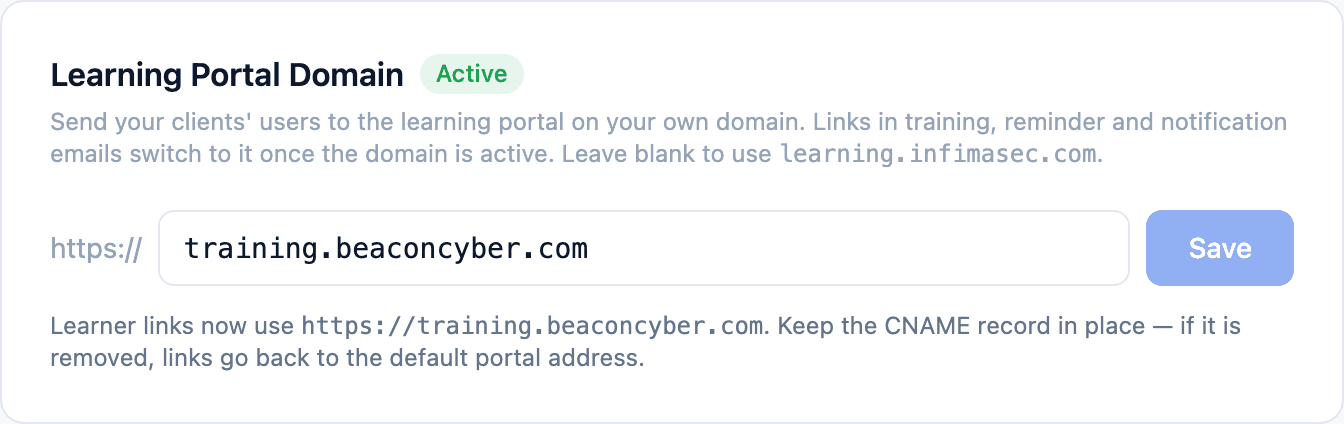
Your logo is already on the emails and the portal, but until now the address bar still said learning.infimasec.com. Partners can now put the learning portal on their own hostname, such as training.yourcompany.com, and give any client its own where they want the portal to look like theirs.
Your Brand, End to End
Once your hostname is live, everything your clients' users see carries it:
- The address bar in the learning portal
- Welcome emails, training invitations and reminders
- Manager reminders, policy reminders and breach notifications
- Every link under Tailor → Share links
One Hostname for Everyone, or One per Client
Set a hostname once under Settings → Whitelabel & Branding and every client inherits it. Give a client its own under its Tailor → Branding & Email page when they want the portal to look like theirs.
A Single DNS Record
Setup takes one CNAME record. The Learning Portal Domain card shows the record to add, checks it for you, and sets up the certificate on its own, usually within minutes.
Nothing Breaks Along the Way
Microsoft and Google sign-in keep working as before, and if the DNS record is ever removed, links go back to learning.infimasec.com so nothing goes out with a dead link.