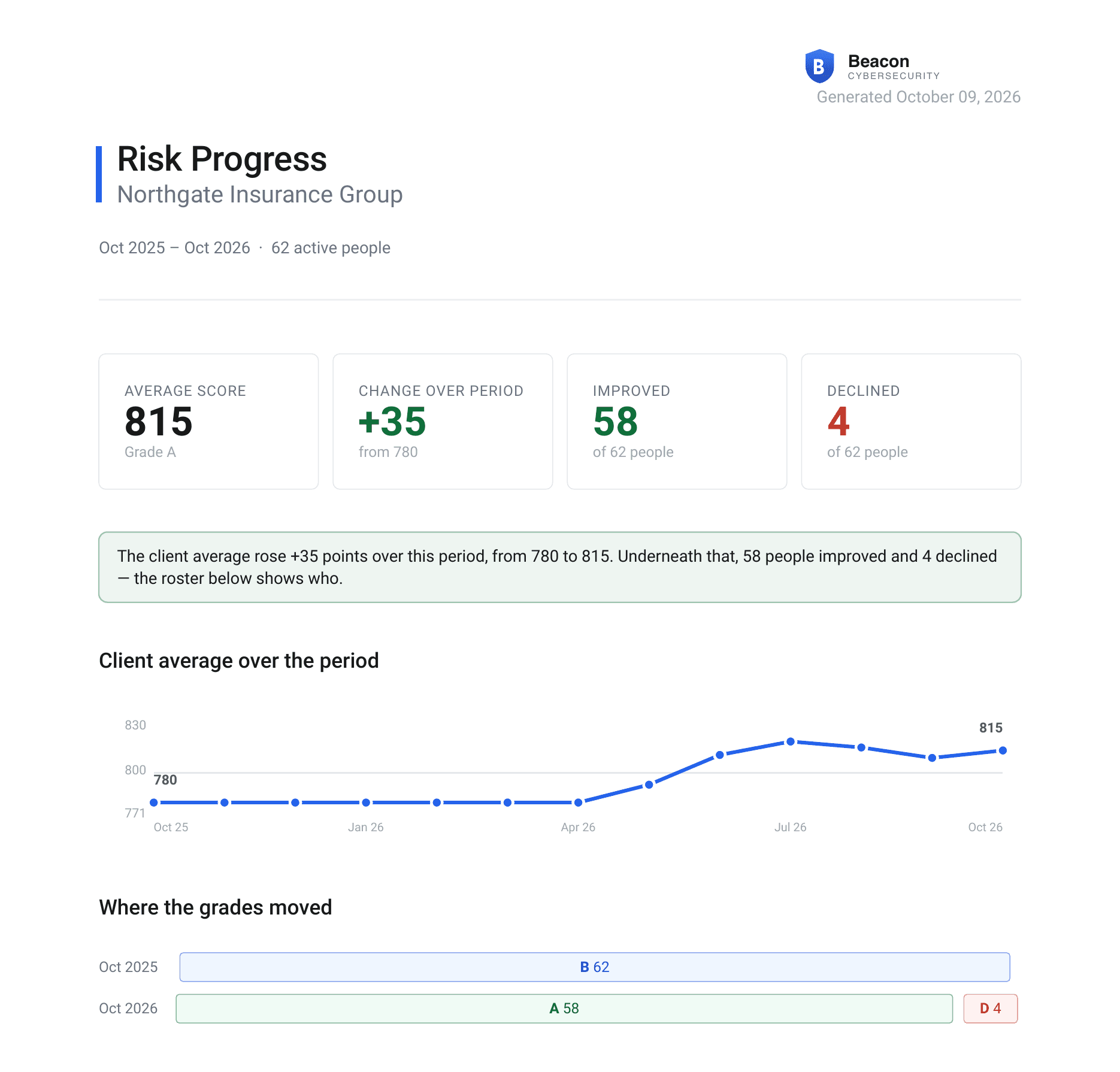
Risk scores tell you where a client stands today. The new Risk Progress report shows how they got there: how the client's average moved over the last year and which people drove it, so you can walk into a QBR with a clear answer to "are we safer?"
The Client Trend at a Glance
The first page shows the client's average score as a trend line, the change over the period, and how many people improved or declined, so a steady average can't hide real movement underneath. A grade bar shows how the client's grades shifted from the start of the period to the end.
Everyone Who Moved
Next comes a card for each person whose score changed, ordered by how far they moved, each with their own trend and grade change. People who held steady are counted in a single line instead of filling pages.
Earned, Not Just Aged Out
Every change is split into what the person earned through training and phishing results and what simply aged out of the scoring window. A rising score is only called improvement when it is one.
Generate It Your Way
Run it whenever you need it, or let it arrive on its own:
- Generate it from the Reports tab or a client's Human Risk page
- Cover the last 12 months, or pick a shorter period
- Turn on the monthly schedule to have it sent automatically
- A full year of history is available from day one