Security Awareness Training for MSPs: The Complete Guide
For MSPs
Why MSPs Need Security Awareness Training
For Managed Service Providers, security awareness training has evolved from a nice-to-have add-on to an essential component of the service stack. Your clients face escalating cyber threats, and their employees are the primary target.
The statistics are sobering: over 90% of successful cyberattacks begin with a phishing email. Ransomware attacks increasingly target small and medium businesses—exactly the clients most MSPs serve. These businesses often lack dedicated security staff and look to their MSP as their trusted security advisor.
The reality is clear: technical controls alone cannot fully protect your clients. Firewalls, endpoint protection, and email filtering are essential, but they cannot prevent an employee from willingly entering credentials on a phishing site or wiring money to a fraudulent account. Security awareness training addresses the human element—transforming employees from security vulnerabilities into the first line of defense.
Increasingly, the MSPs who do this well frame it as human risk management, not just “training.” SAT is the engine, but the goal isn’t completed courses—it’s a measurable drop in each client’s human risk. The modern approach is a loop: measure every user’s risk, drive it down with targeted training and phishing, then re-measure. Training is how you move the number, not a box you check.
The Business Case for MSPs
- Reduce client risk: Trained employees are significantly less likely to fall for phishing attacks
- Meet compliance requirements: Many frameworks mandate security training (HIPAA, PCI-DSS, CMMC, etc.)
- Support cyber insurance: Insurers increasingly require documented training programs
- Differentiate your services: Comprehensive security offerings set you apart from competitors
- Reduce support burden: Security-aware users generate fewer incidents and tickets
SAT as a Service Opportunity
Security awareness training represents a significant revenue opportunity for MSPs. It's a service that scales efficiently, provides recurring revenue, and strengthens your overall security offering.
Revenue Models
- Per-user pricing: Charge monthly per user, typically ranging from $2-5/user/month
- Bundle with security stack: Include in comprehensive security packages at premium pricing
- Compliance packages: Offer industry-specific packages for healthcare, finance, etc.
Positioning to Clients
Frame security awareness training as risk reduction and compliance enablement, not just another expense:
- Connect training to regulatory requirements they must meet
- Reference cyber insurance questionnaires that ask about training
- Share statistics on phishing success rates and ransomware costs
- Position as completing the security picture alongside technical controls
Key Components of Effective SAT Programs
A comprehensive security awareness training program includes several interconnected elements:
Training Content
- Core modules: Phishing, password security, social engineering, data protection, physical security
- Compliance-specific: HIPAA for healthcare, PCI for retail, etc.
- Current threats: Updates on emerging attack techniques (AI threats, QR code attacks, etc.)
- Role-based: Executive training, IT staff training, general user training
Phishing Simulations
Simulated phishing campaigns are essential for testing and reinforcing training:
- Regular campaigns (monthly or quarterly) to maintain awareness
- Variety of templates reflecting real-world attack techniques
- Immediate feedback when users click—education at the teachable moment
- Progression from basic to advanced scenarios
Reporting and Metrics
- Training completion rates and quiz scores
- Phishing simulation click rates and trends
- Individual user risk scores
- Compliance documentation and audit trails
Choosing a SAT Platform for Your MSP
Not all security awareness platforms are created equal, especially for MSP use cases. Key considerations:
MSP-Specific Features
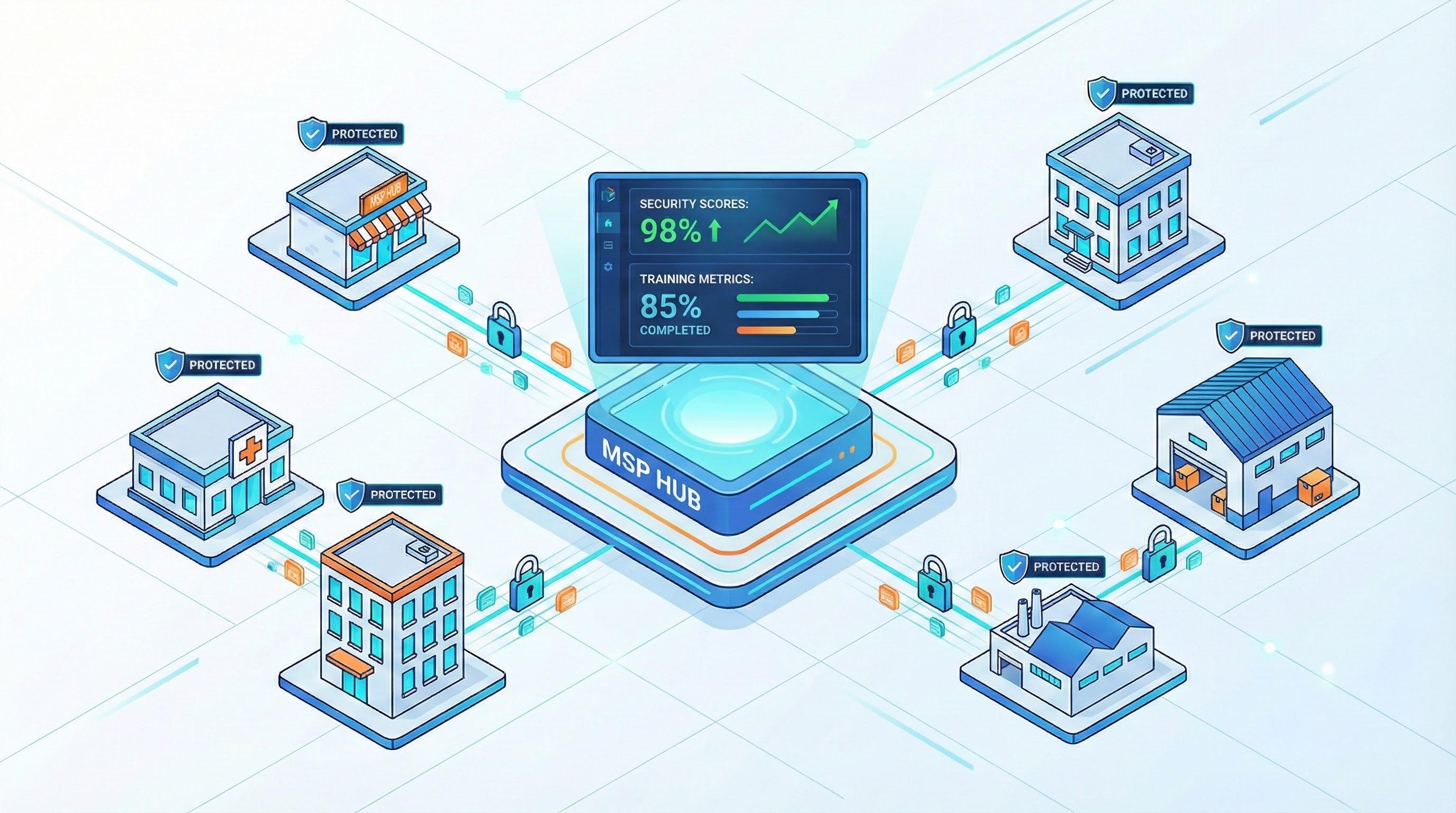
- Multi-tenant management: Manage all clients from a single dashboard without logging into separate instances
- White-labeling: Brand the platform with your logo and colors for a seamless client experience
- Flexible pricing: Per-user or per-seat pricing that works with your business model
- Client self-service options: Allow clients to view their own reports while you maintain control
- Behavioral-science content: Training and phishing built on how attackers exploit fast, instinctive thinking—not just better-looking videos. (See our guide to the behavioral science behind phishing.)
- Human risk, not just completion: Per-user risk scoring, dark web monitoring, and compliance evidence in one system—so you can show a client their risk going down, not just who finished a course
Automation Capabilities
- Auto-enrollment: New users automatically added via directory sync
- Zero-setup launch: The strongest platforms start a baseline training and phishing program automatically when you sync a client—no campaign to build by hand for each tenant
- Automated reminders: Notifications for incomplete training without manual follow-up
- Reporting automation: Scheduled reports delivered to you and clients
Integration Requirements
- PSA integration: Sync with ConnectWise, Autotask, Halo PSA for billing and ticketing
- RMM integration: Visibility into training status alongside technical metrics
- Directory integration: Azure AD, Microsoft 365, Google Workspace sync
- API access: Build custom integrations and reporting
Implementing SAT Across Your Client Base
Rolling out security awareness training efficiently across multiple clients requires a standardized approach:
Onboarding Workflow
- Step 1: Configure client tenant with branding and settings
- Step 2: Connect directory integration for user sync
- Step 3: Select training curriculum (standard or compliance-specific)
- Step 4: Configure phishing simulation schedule
- Step 5: Send welcome communication to users
- Step 6: Set up reporting schedule for client stakeholders
Managing Multiple Clients Efficiently
- Standardize programs: Create template configurations you can apply to new clients
- Leverage automation: Minimize manual tasks through scheduled campaigns and auto-enrollment
- Consolidated dashboards: Monitor all clients from a single view to quickly identify issues
- Exception-based management: Focus attention on clients or users with concerning metrics
Measuring and Reporting Success
Demonstrating program value to clients requires tracking the right metrics and presenting them effectively:
Key Metrics to Track
- Phishing click rate: Percentage of users who click simulated phishing links (lower is better)
- Report rate: Percentage of users who correctly report simulated phishing (higher is better)
- Training completion: Percentage of assigned training completed on time
- Knowledge assessment scores: Quiz performance indicating comprehension
- Trend data: Improvement over time showing program effectiveness
Client Reporting Best Practices
- Monthly summaries: High-level metrics and notable trends
- Quarterly business reviews: Detailed analysis with recommendations
- Benchmarking: Compare client performance to industry averages
- Compliance documentation: Reports formatted for audit requirements
Common Challenges and Solutions
MSPs commonly encounter these challenges when implementing security awareness training:
- Client resistance to cost: Address by connecting to compliance requirements, cyber insurance, and risk reduction. Frame as essential protection, not optional add-on.
- Low user engagement: Choose a platform with engaging, modern content. Keep training modules short. Use gamification features if available.
- Pushback on phishing simulations: Get executive buy-in before launching. Position as educational, not punitive. Never publicly shame users who fail.
- Time constraints: Leverage automation heavily. Choose a platform designed for MSP efficiency. Standardize processes across clients.
- Demonstrating ROI: Track and report metrics consistently. Highlight improvement trends. Reference industry breach costs and how training reduces risk.
Key Takeaway
Security awareness training is no longer optional for MSPs—it's a critical component of comprehensive client protection. The right platform, combined with efficient processes, enables MSPs to deliver effective training at scale while generating meaningful recurring revenue. Success requires choosing MSP-focused tools, standardizing implementation, automating where possible, and consistently demonstrating value through clear reporting.
See it across your whole book of business
INFIMA is the complete human risk platform built for MSPs: multi-tenant training, phishing, dark web monitoring, and compliance across every client. Training and phishing start automatically on directory sync, white-labeled to your brand.
Continue Reading
Explore more guides to deepen your security knowledge.