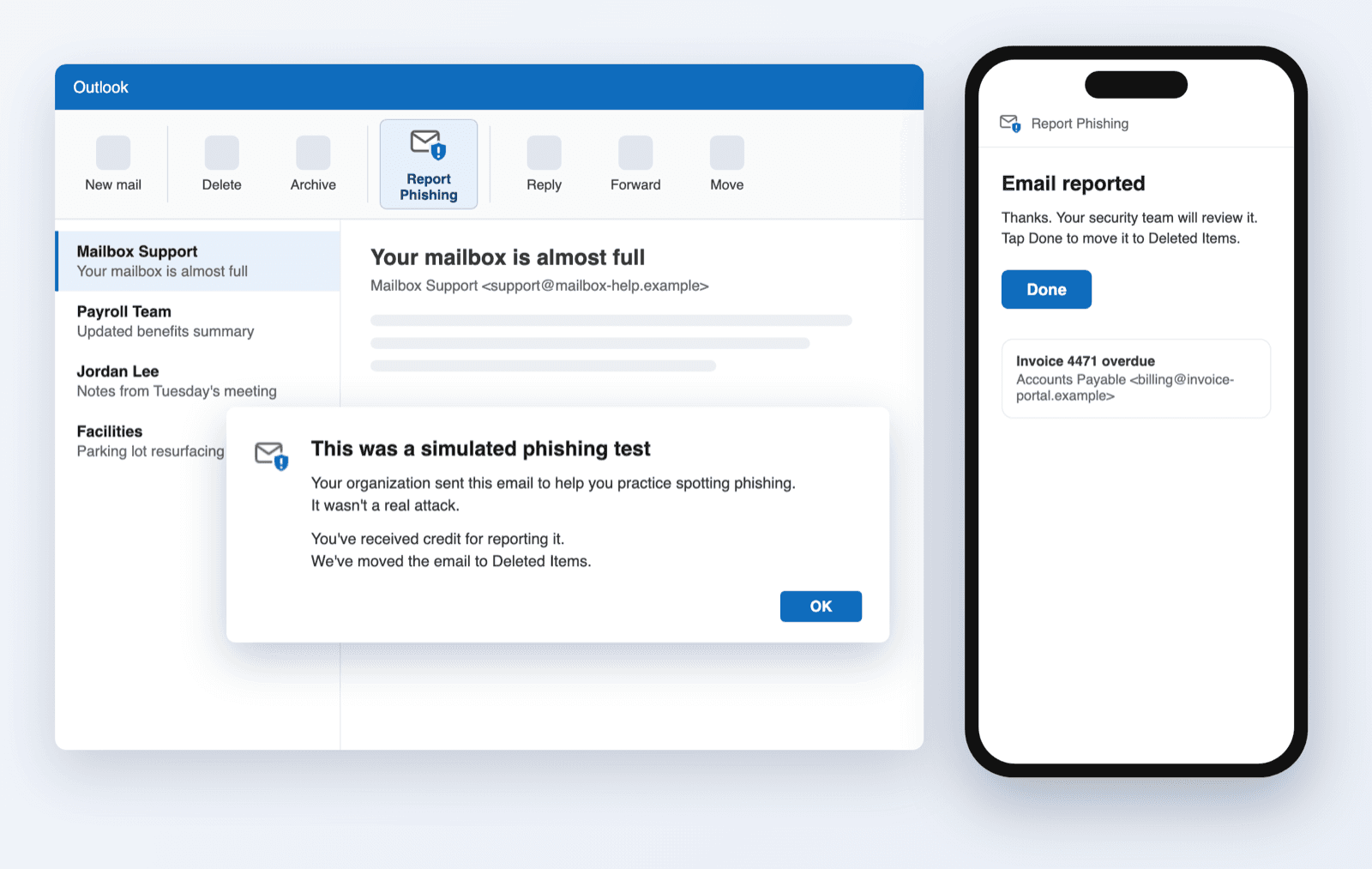
October brought one Report Phishing button for every Outlook and more control over who receives a client's reports and when new hires hear from you, plus time-savers across training, Dark Web Monitoring and phishing.
One Report Phishing Button for Every Outlook
The Report Phishing button now works on every Outlook, phones included, tells users exactly what happened, and can send reports from the user so your PSA files them under the right client.
Pick recipients from the client's directory
You now pick a client's report and alert recipients from their directory, people or shared mailboxes, on Tailor › Automated Reports, Custom Reports and Dark Web Monitoring. Each list has its own delivery: direct delivery puts each copy in the recipient's own mailbox from the client's sender, and email delivery sends it from bounce@infimasec.com so you can add addresses outside the directory. Existing recipients carry over and are matched to the client's directory after its next sync.
Delay welcome emails for new hires
Users are often added to a directory a week or two before they start. You can now hold each new user's welcome email for a set number of business days after they're added: set a default under Settings › Onboarding › Welcome Email, or override it per client on the client's Training › Onboarding page. The client's card shows how many users go out on the next send and how many are still waiting.
Adjustable course transition speed
Training courses now have a speed control in the course player, next to the exit button. Learners can slow the animated reveals down to half speed or run them up to three times faster. The change takes effect immediately, even partway through a screen, and the setting is remembered on that device.
Overdue Courses on Custom Reports
You can now add Overdue Courses, an Excel list of every user with an overdue course, to a Custom Report and send it on your own schedule to whoever needs to follow up. Set it up under Tailor › Custom Reports; to send it just once, create the schedule inactive and press Trigger Now.
Old Dark Web breaches resolve themselves
Exposed passwords from breaches more than a year old are now marked resolved automatically, both when a client is first scanned and every month after. Clients start with only the past year's breaches to work through, users are only alerted about recent ones, and reports focus on exposure that still matters. Breaches resolved this way are labeled "Auto-resolved" in the dashboard and the learning portal, so nobody mistakes them for something a person did.
Phishing category adoption across clients
On the partner Phishing settings page, each category now shows how many of your clients have it switched on, for example "On for 67% of tenants", with the exact count on hover. Only clients with phishing turned on are counted, and the line appears once you manage more than one client.
Large reported emails now forward
Reported emails up to 40 MB now reach your security team. Very large emails, such as those with big attachments, previously failed to forward.